

Free FIX Log Analyzer and Parser
Paste or open a FIX log and see in seconds how many orders filled, which were rejected and why, how fast acks came back and where the session broke.
Free to use, no sign-up. Available publicly until further notice.
In short
ZagTrader's FIX Log Analyzer and Parser at fixparser.zagtrader.com is a free, browser-based tool for FIX engineers and trading operations. It decodes FIX 4.0 to 5.0 SP2 logs tag by tag, validates every message against the FIX dictionary, follows each order from new to fill, and turns a whole log into statistics: fill and reject rates, ack latency, reject reasons and session health. It is built by the team behind ZagTrader's FIX connectivity, which routes orders to 1,100+ destinations through ZagFN.
- Price
- Free, no sign-up, available until further notice
- FIX versions
- FIX 4.0 to 5.0 SP2 (FIXT.1.1)
- Privacy
- Parsing runs in your browser; nothing is uploaded
What you see in the first 10 seconds
Open a log and the analyzer answers the questions a FIX engineer or an operations desk asks first.
The log in one line of numbers
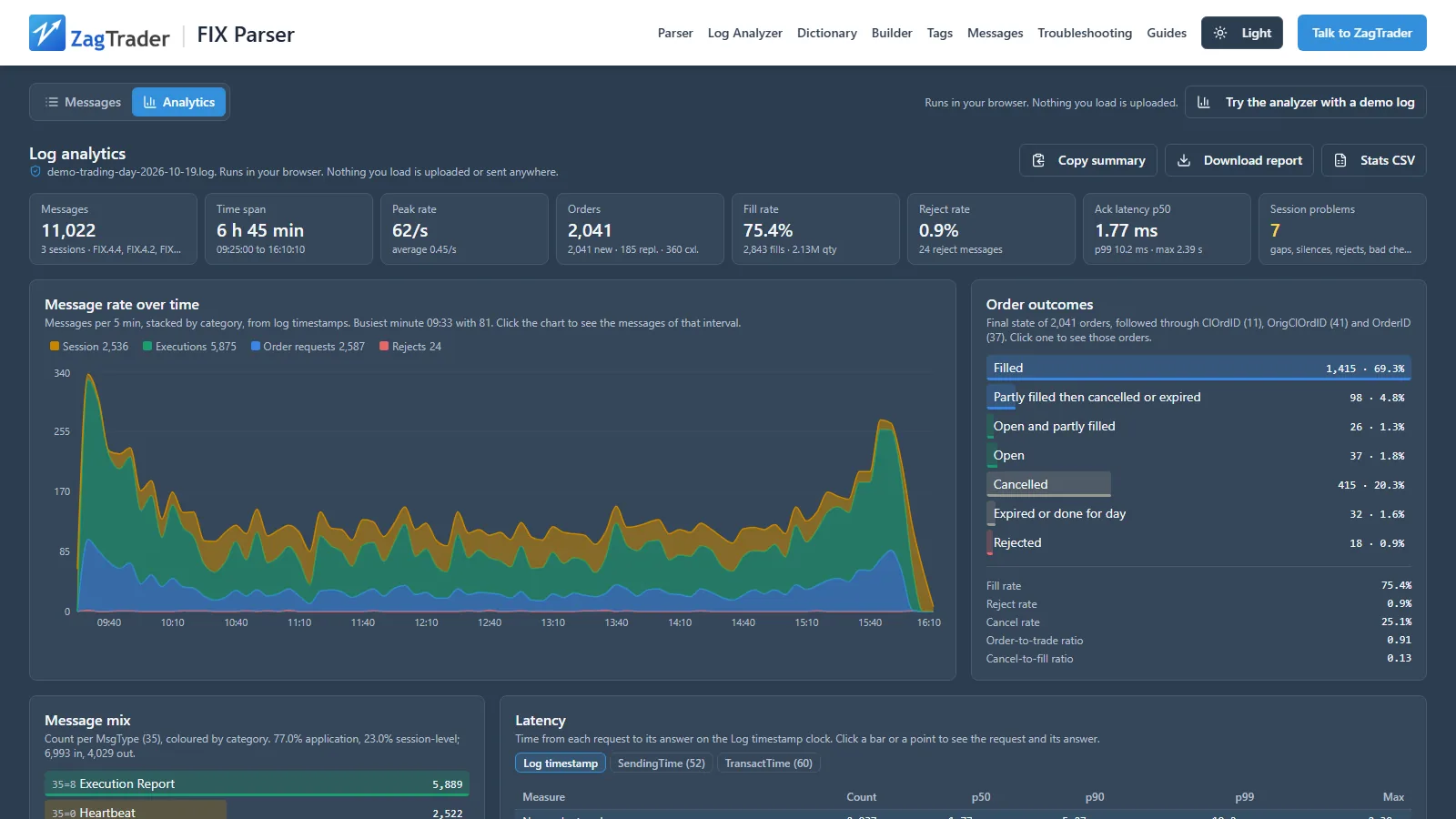
Messages, time span, peak rate, orders, fill rate, reject rate, ack latency p50 and p99, and session problems.
Every reject explained
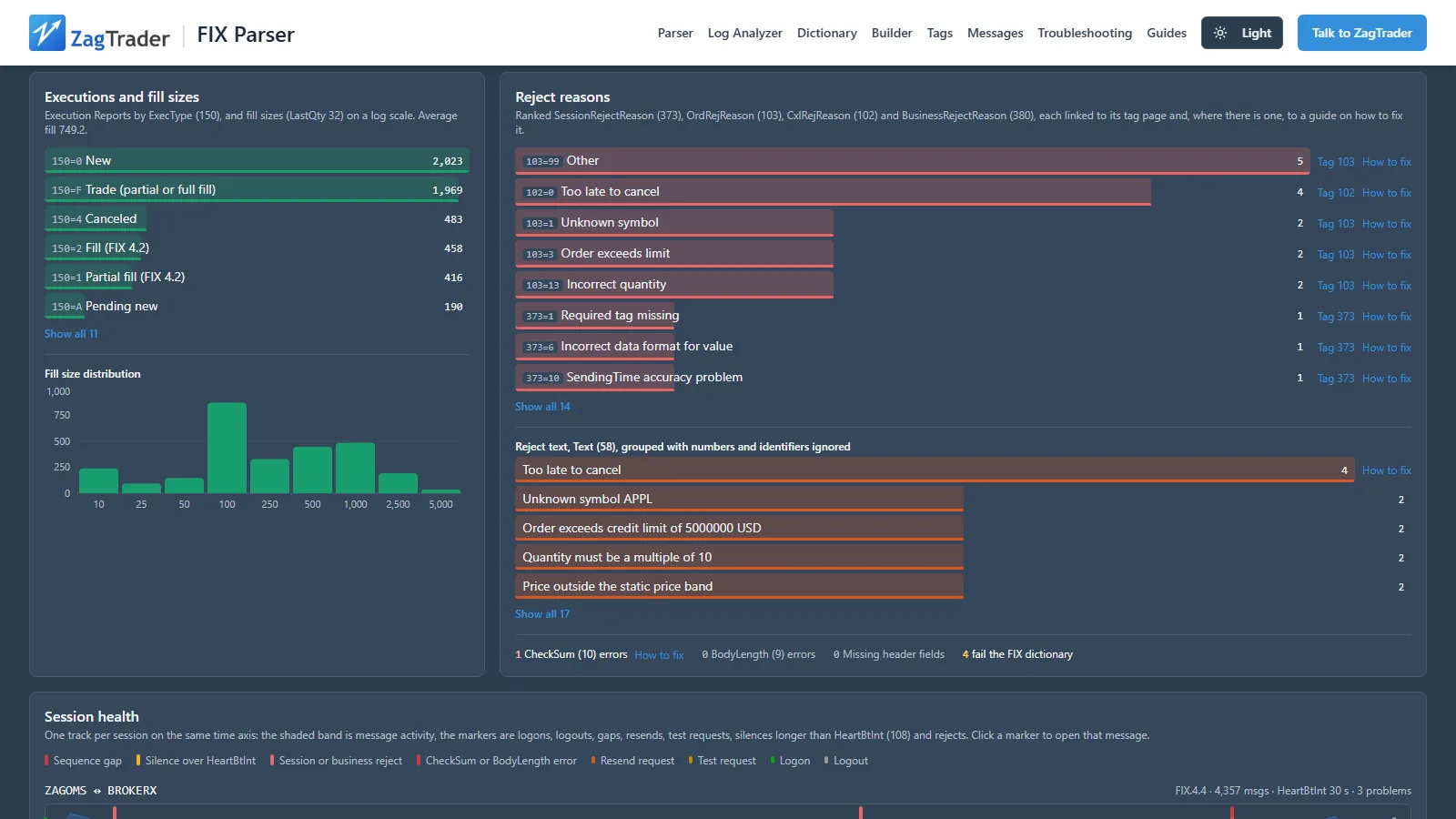
Rejects ranked by 373, 103, 102, 380 and Text (58), each linked to a guide on how to fix it.
Session health at a glance
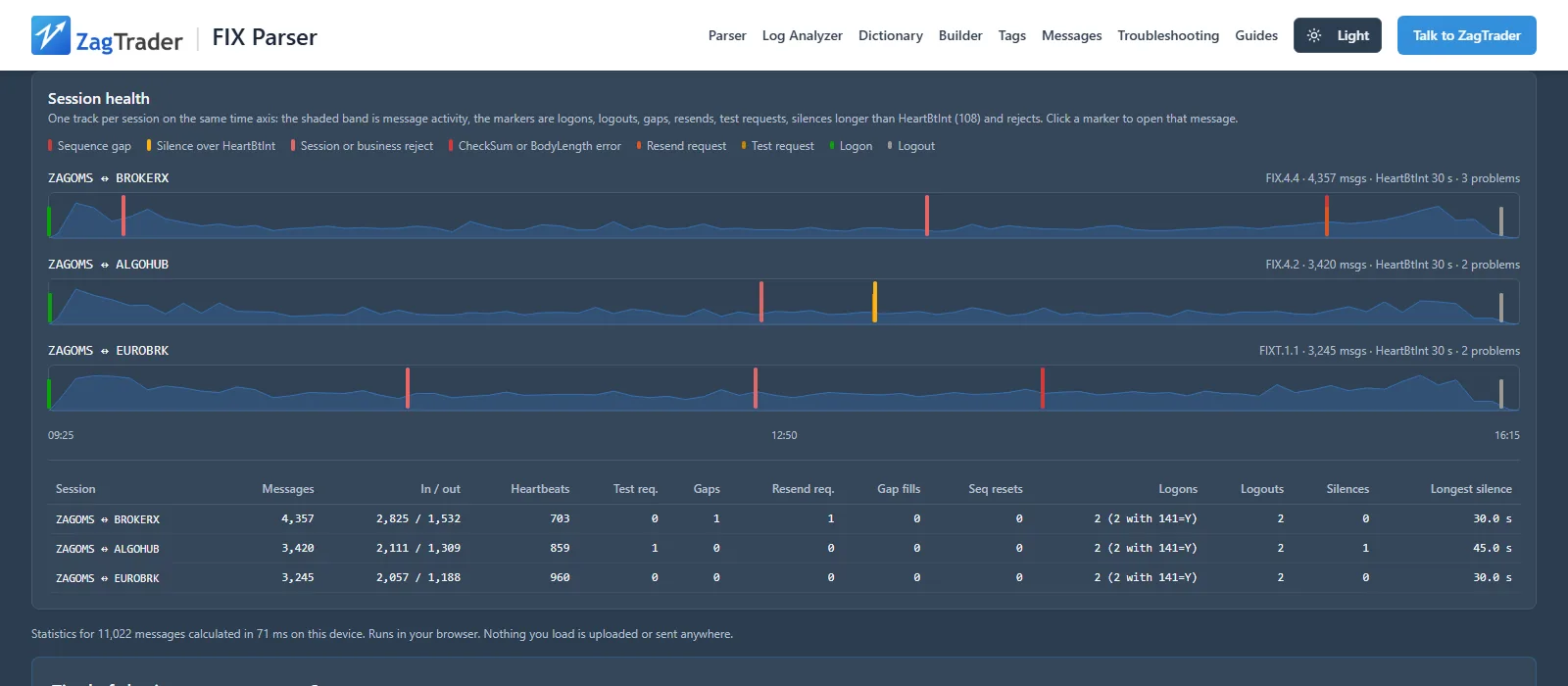
Logons, sequence gaps, resends, test requests and silences on one timeline per session.
Each order followed end to end
Order lifecycle linked through ClOrdID, OrigClOrdID and OrderID, from new to fill, cancel or reject.
Every message checked
BodyLength, CheckSum and sequence gaps, plus dictionary validation with the 373 reason a counterparty would send.
Nothing leaves your browser
The log is read, parsed and analyzed on your computer. Anonymise it before you share a report.
Log analytics: the whole log in numbers
The analytics view reads every message, follows every order and turns the log into charts and tables. Click any bar to see the messages behind it.
What the FIX log analyzer measures
The statistics, charts and session information the analyzer produces for a FIX log, and the FIX fields each one comes from.
Message volume
Total messages, sessions, FIX versions and the time span of the log, with average and peak messages per second, the busiest minute and the inbound and outbound split. A message-rate chart shows traffic over time by category: session messages, order requests, executions and rejects. Messages are classified by MsgType (35), with ExecType (150) and OrdStatus (39) for execution reports; sessions are told apart by BeginString (8), SenderCompID (49) and TargetCompID (56); times come from the log timestamp or SendingTime (52).
Message volume: how it is measuredOrder outcomes
Each order is followed through ClOrdID (11), OrigClOrdID (41) and OrderID (37) and given one outcome: filled, partly filled then cancelled or expired, cancelled, expired, rejected or still open. The outcome comes from the last OrdStatus (39) seen for the order and whether it had fills. From the outcomes the analyzer reports the fill rate, reject rate and cancel rate, the order-to-trade ratio and the cancel-to-fill ratio.
Order outcomes: how it is measuredExecutions
Execution reports are counted by ExecType (150). Fill sizes from LastQty (32) form a fill-size distribution, and filled quantity and traded value are totalled per symbol and kept separate per currency, so amounts in different currencies are never added together.
Executions: how it is measuredTrading mix
The order flow broken down by side (Side, 54), order type (OrdType, 40) and time in force (TimeInForce, 59), and by venue from ExDestination (100) and LastMkt (30).
Trading mix: how it is measuredLatency
Four response times: order to acknowledgement, order to first fill, cancel and replace requests to their response, and TestRequest to Heartbeat. Each is shown as p50, p90, p99 and max, with a histogram and latency over time. The clock is selectable: the log time, SendingTime (52) or TransactTime (60).
Latency: how it is measuredRejects
Reject reasons ranked by count from SessionRejectReason (373), OrdRejReason (103), CxlRejReason (102), BusinessRejectReason (380) and Text (58), each linked to a guide on how to fix it. CheckSum (10) and BodyLength (9) errors and dictionary validation failures are counted too.
Rejects: how it is measuredSession health
For each session: heartbeats, test requests, sequence gaps, resend requests, gap fills, sequence resets, logons (including logons with ResetSeqNumFlag 141=Y), logouts, silences longer than HeartBtInt (108) and the longest silence, all shown on a timeline.
Session health: how it is measuredOutputs
Copy a plain-text summary, download a report as one HTML file that works offline, or export the tables as CSV. Click any chart bar to jump to the messages behind it.
How the analyzer worksParser and validation
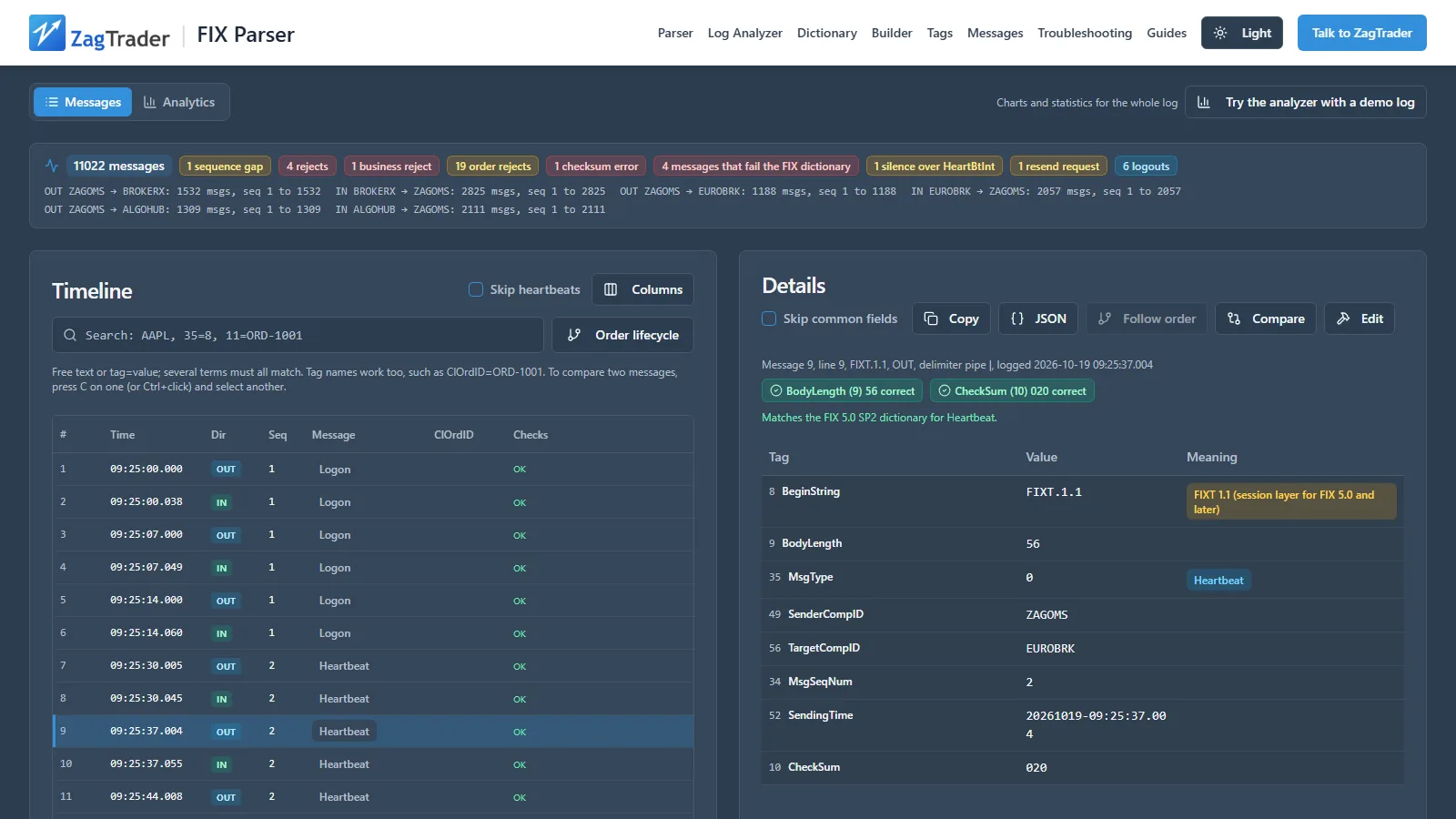
Paste messages or open a log file. Every message is decoded tag by tag, checked and placed on a timeline, and every order is linked from new to its last state.
- Paste a log or open .log, .gz and .zip files
- FIX 4.0 to 5.0 SP2, including FIXT.1.1 sessions
- Message timeline with every tag decoded and value names shown
- BodyLength and CheckSum checked on every message
- Sequence gaps found and listed
- Dictionary validation: each problem shown with the 373 reject reason a counterparty would send
- Order lifecycle per order, linked through ClOrdID, OrigClOrdID and OrderID
- Compare two messages
- Anonymise before sharing, custom columns, light and dark theme
Dictionary, builder and troubleshooting
Look up any tag or message type in the FIX version you work with, build a test message, and find the fix for a reject or a session problem.
- FIX dictionary
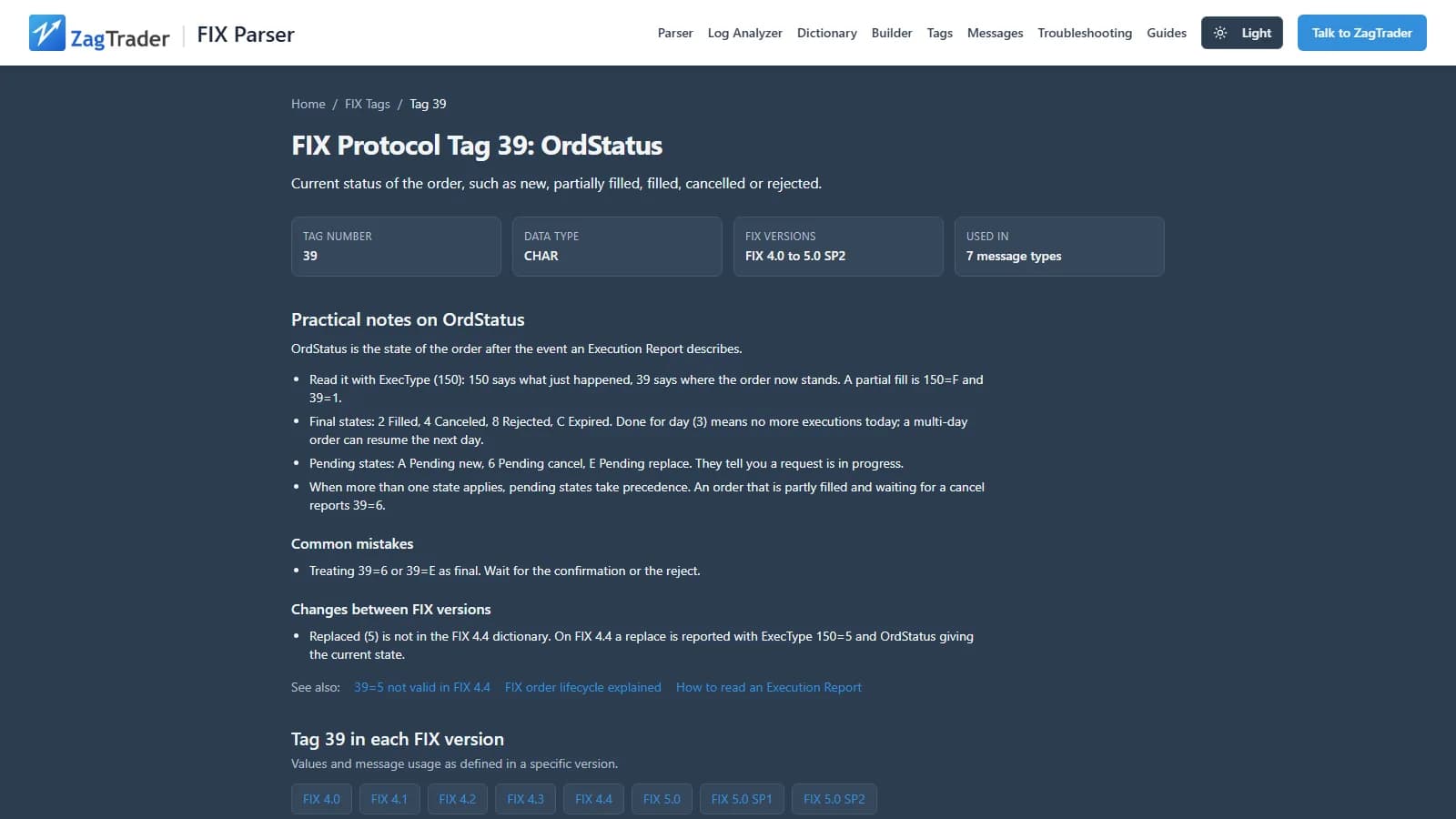
A page for each of 6,066 tags and 164 message types, per FIX version.
- FIX tags
Every tag with its data type, valid values and the messages that use it.
- FIX message types
Every message type with its required fields and field layout, per FIX version.
- Troubleshooting
27 pages on common FIX problems and how to fix them.
- Guides
The FIX order lifecycle, the session layer, FIXT.1.1 and reading an execution report, explained.
- Version comparisons
What changed between FIX versions.
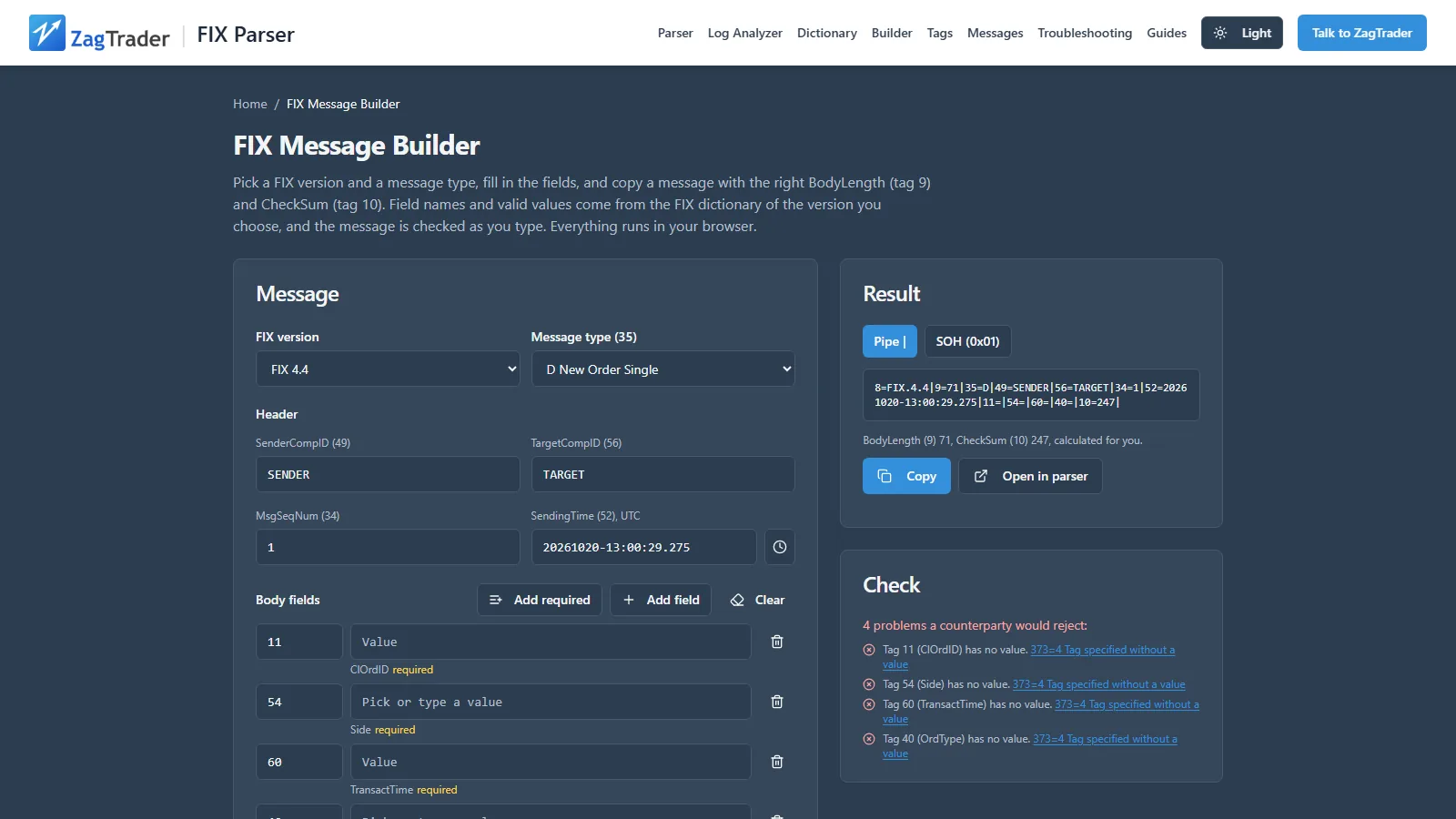
- Message builder
Compose a FIX message field by field.
For FIX engines and applications
Two ways to use the analyzer from your own software: call the HTTP API, or hand a log to the parser inside the browser.
HTTP API
POST /api/v1/analyze returns the log statistics as JSON, HTML or text. Send the log as plain text or gzip; it is processed in memory and not stored.
Browser handoff
An application opens the parser and passes it the log inside the browser, straight into the timeline or the analytics view. Nothing is uploaded.
Analyze a log from the command line
# JSON statistics (default). Add ?format=html for a report or ?format=text for a summary.
curl --data-binary @fix.log -H "Content-Type: text/plain" \
  "https://fixparser.zagtrader.com/api/v1/analyze"
Output formats, options and the handoff messages are in the API documentation.
Your logs stay with you
Parsing runs in your browser; nothing you load is uploaded. Logs often carry account numbers, CompIDs and order details, so the analyzer reads them on your computer, and Anonymise replaces those values with placeholders before you copy a summary, download a report or export CSV.
Built by the team behind ZagTrader's FIX connectivity
ZagTrader is a capital markets platform for brokers, banks, exchanges and asset managers. Its FIX gateway routes orders out to brokers, exchanges and liquidity providers, takes DMA flow in from clients and prime brokers, and captures drop copy. Through ZagFN, ZagTrader's managed network, orders reach 1,100+ routing destinations.
We publish the analyzer free for everyone who works with FIX: connectivity engineers, support desks and trading operations teams.
- Routing destinations
- 1,100+ through ZagFN
- Institutions
- 100+ run on ZagTrader technology
- In production
- Since 2009
Frequently asked questions
Is the FIX log analyzer really free?
Yes. The FIX Log Analyzer and Parser at fixparser.zagtrader.com is free to use with no sign-up and no account. ZagTrader makes it available publicly until further notice.
Is my FIX log uploaded anywhere?
No. Parsing and analysis run in your browser, so nothing you load is uploaded to ZagTrader or anyone else. Large logs are processed in a background thread of the page. The separate HTTP API, for applications that choose to call it, processes the log in memory and does not store it.
Which FIX versions and file types does it read?
FIX 4.0 to FIX 4.4 and FIX 5.0 SP2 over FIXT.1.1. You can paste messages or open .log, .gz and .zip files.
What statistics does the analyzer show for a FIX log?
A KPI strip (messages, time span, peak rate, orders, fill rate, reject rate, ack latency p50 and p99, session problems), a message-rate chart, order outcomes with fill, reject and cancel rates and order-to-trade and cancel-to-fill ratios, executions by ExecType, a fill-size distribution, ranked reject reasons, a session health timeline and latency percentiles.
How does it explain why an order or message was rejected?
Rejects are ranked by SessionRejectReason (373), OrdRejReason (103), CxlRejReason (102), BusinessRejectReason (380) and Text (58), and each reason links to a guide on how to fix it. Dictionary validation also shows, for each problem it finds, the 373 reject reason a counterparty would send.
Can my FIX engine or application use it?
Yes, in two ways. An HTTP API (POST /api/v1/analyze) returns the log statistics as JSON, HTML or text, processed in memory and not stored. A browser handoff lets an application open the parser and pass it a log inside the browser, so nothing is uploaded. Both are documented at fixparser.zagtrader.com/api-docs.
Does it include a FIX dictionary and a message builder?
Yes. The FIX dictionary has a page for each of 6,066 tags and 164 message types per FIX version, and there are 27 troubleshooting pages, guides and version comparisons. The message builder composes a FIX message field by field.
Who makes the tool?
ZagTrader, the capital markets platform company. The tool is built by the team behind ZagTrader's FIX connectivity: outbound order routing, inbound DMA and drop copy, with 1,100+ routing destinations through ZagFN. 100+ institutions run on ZagTrader technology, in production since 2009.
Explore further
Related guides
Open a FIX log now
Free to use, no sign-up. When you need FIX routing, DMA or drop copy run for you, talk to the team that built it.